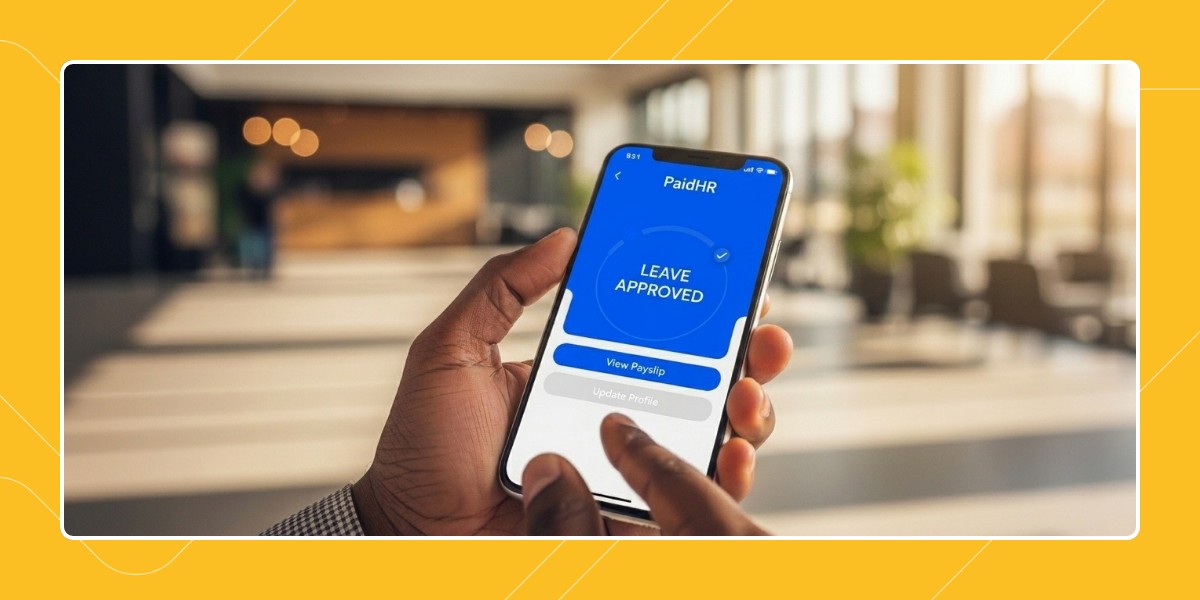
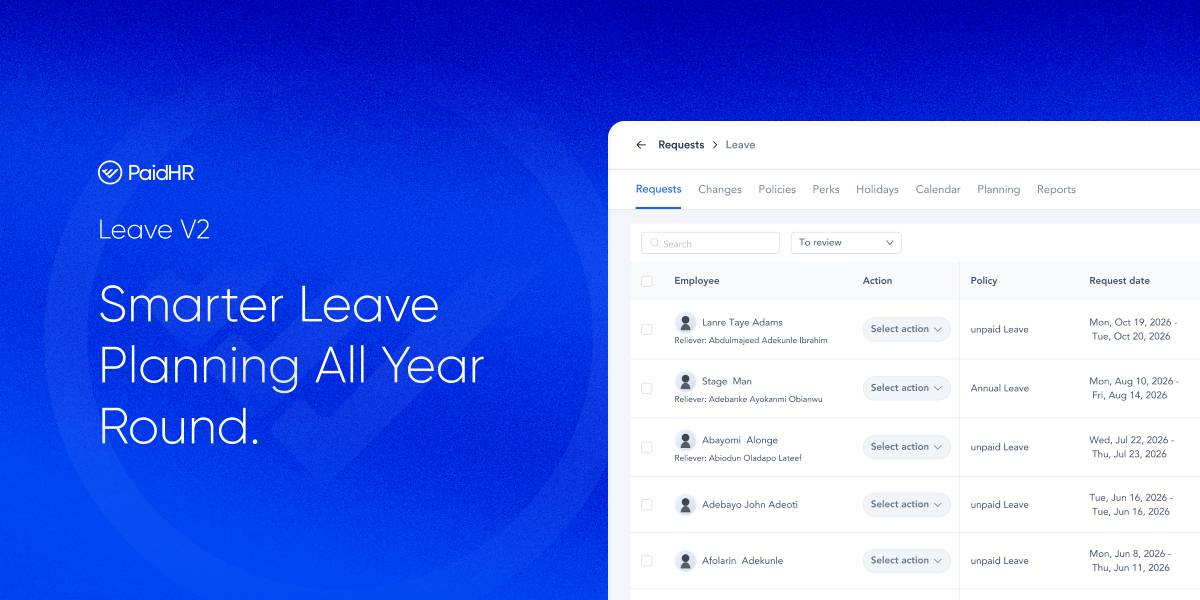
Most leave systems only tell you who’s away after the decision’s already been made.
We’ve rebuilt Leave end to end, from a place where employees submit requests into a system where teams can plan the year, coordinate time away, see who is away, and manage changes properly.
Move from reactive requests to planned time away.
Previously, leave often followed a simple pattern: Employee requests → Manager approves → HR finds out who’s away. That works until several people want the same days off, someone needs to change an approved leave, or HR needs a quick answer to “who is away next month?”
Leave V2 brings those decisions forward. Plans are made before anything is booked, managers coordinate with their teams, capacity clashes are caught before leave is requested, and changes to approved leave follow a proper workflow.
The idea is straightforward: Give teams a clearer view of the year before the year happens.
1. Plan the year before anything is booked
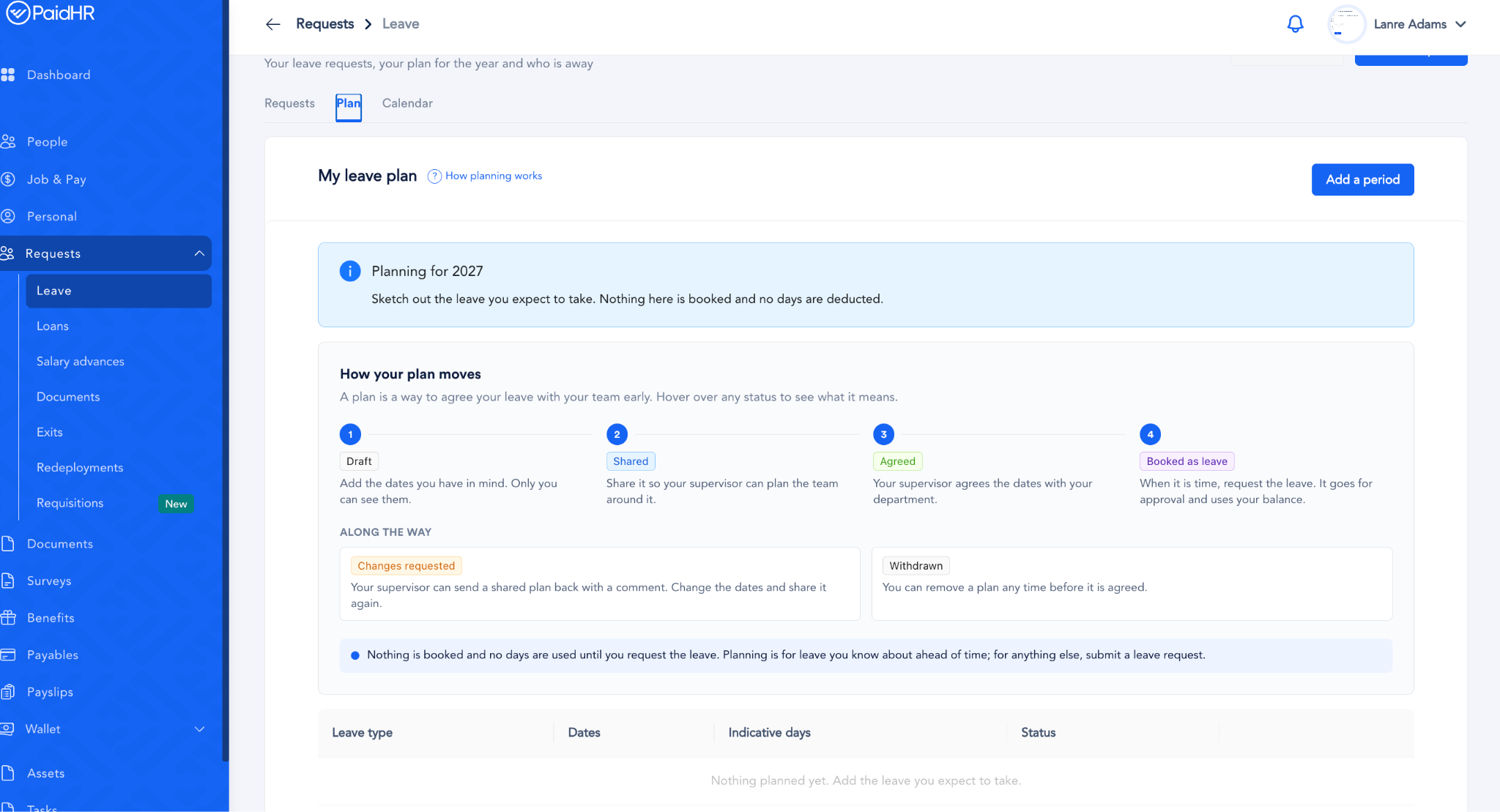
This Leave V2 introduces planning cycles. HR can open a planning cycle for a year, set a submission deadline and control who can open, close and review the cycle. Employees can then draft the periods they would like to take off.
Planning does not affect leave balances. Until an employee shares the draft, the planned dates will appear on the department’s roster, but no balance is deducted or leave is booked, since it’s still just a draft, not a request.
Only when an agreed period is turned into an actual leave request and approved does it go through the normal leave validation and balance process. Employees can plan first, and book later.
2. Give managers a way to coordinate the team
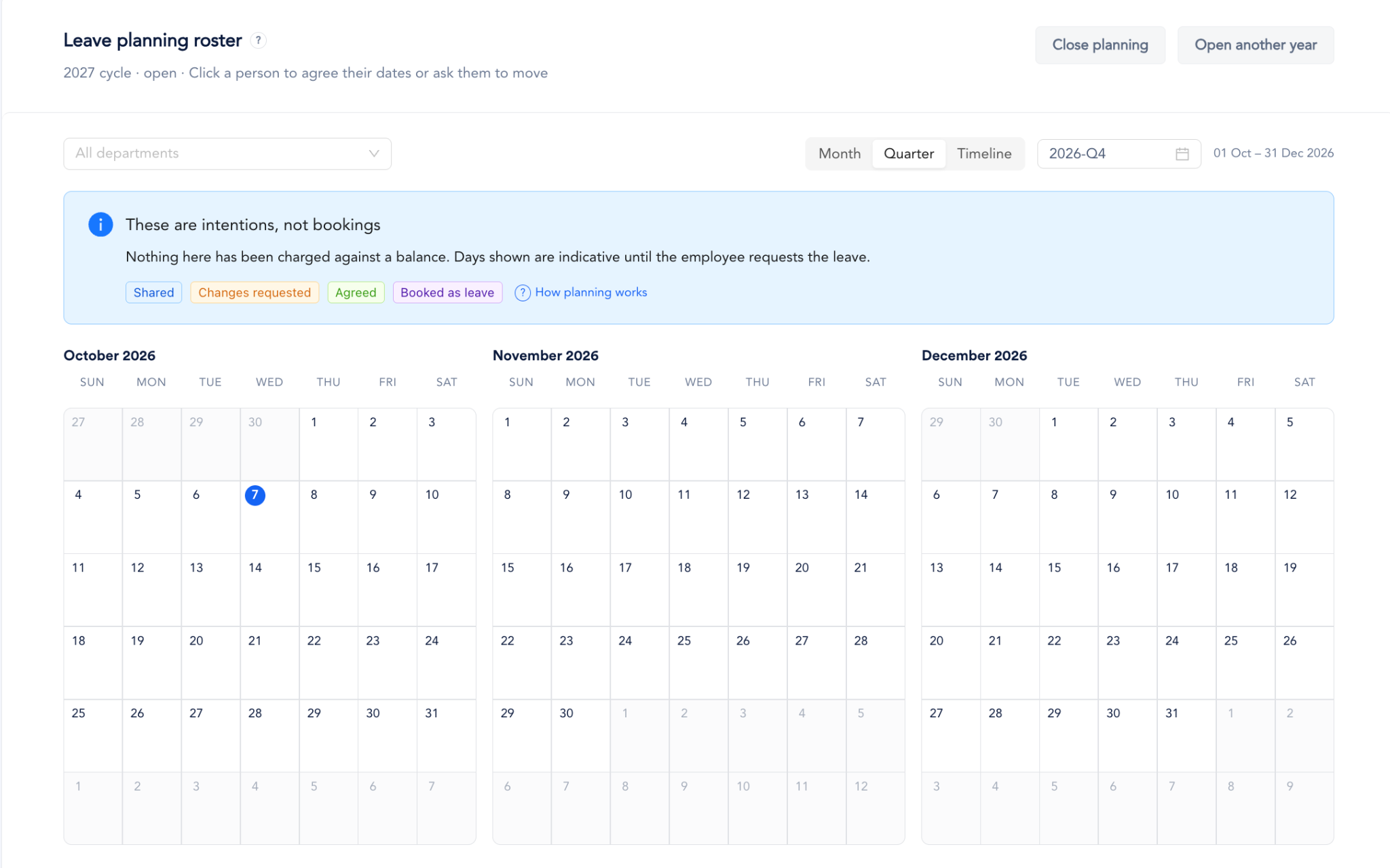
After plans are shared, supervisors can use the department roster to coordinate who will be away when, agreeing to proposed dates or asking employees to adjust them. That gives managers a shared view of the team’s intended time away.
When several people plan to be away at once, days where planned leave exceeds the department’s allowed capacity are flagged across the timeline, month and quarter views. Managers can spot the clash while the team is still planning, instead of after several requests arrive.
Once everyone’s agreed, one click turns the agreed period into a leave request that follows the same approval process as any other. Planning and booking stay separate, which is the whole point.
3. Managing Leave Changes.
Yes, plans change, someone might need to return earlier, change their dates, or take few extra days. Leave V2 gives each situation a proper path instead of forcing everything through one generic edit.
- Withdraw: A requester, or an admin who recorded the leave can withdraw leave while it is pending or approved but has not started. The leave is withdrawn immediately, the full days are returned, and the relevant approvers and reliever are notified.
- Cancel: Approved leave that’s already underway can now be cancelled. There is an optional last-day picker, and cancellations can follow the appropriate approval chain. You can also decide whether admin cancellations require approval.
- Modify: A pending request can be edited in place, keeping its existing request identifier. If the leave has already been approved, changing its dates creates a change request instead.
- Extend: An approved leave can be extended past its current end date, with only the new days needing validation.
One place for changes
Cancellations, extensions and changes now come together in the Changes tab, where users can see the type of change requested, dates involved, what will be deducted or returned, and where the request is in its approval process.
This makes the question “What happened to my leave?” easier to answer.
4. See who is away.
Leave management isn’t only about submitting requests. HR and managers also need to actually know who’s away, and that’s what the new Admin Calendar is for.
It gives a broader view of leave across the organisation, filterable by company, workplace and department. Because each filter supports multiple selections, you can build the view you need without jumping between calendars.
Employees still have access to My Leave and My Team for their own relevant views.
5. Get Reports and Analytics
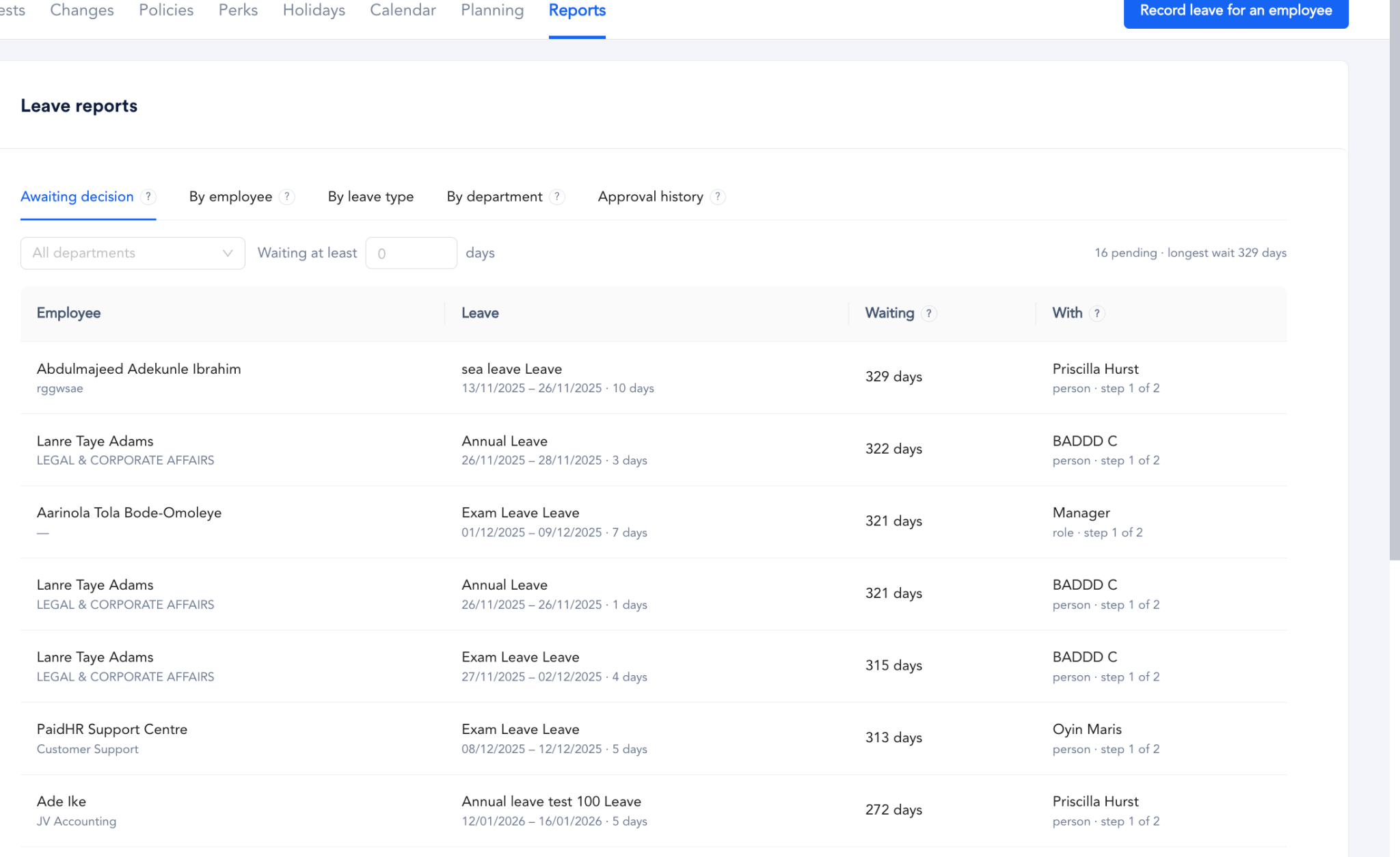
Leave V2 also brings reporting into the module. You are now able to report on: Leave awaiting decision, by employee, by leave type, by department, by Approval history.
Reports can also be customised with column selection and saved views, so teams can create the views they need without rebuilding them every time.
6. Leave Management, Refined
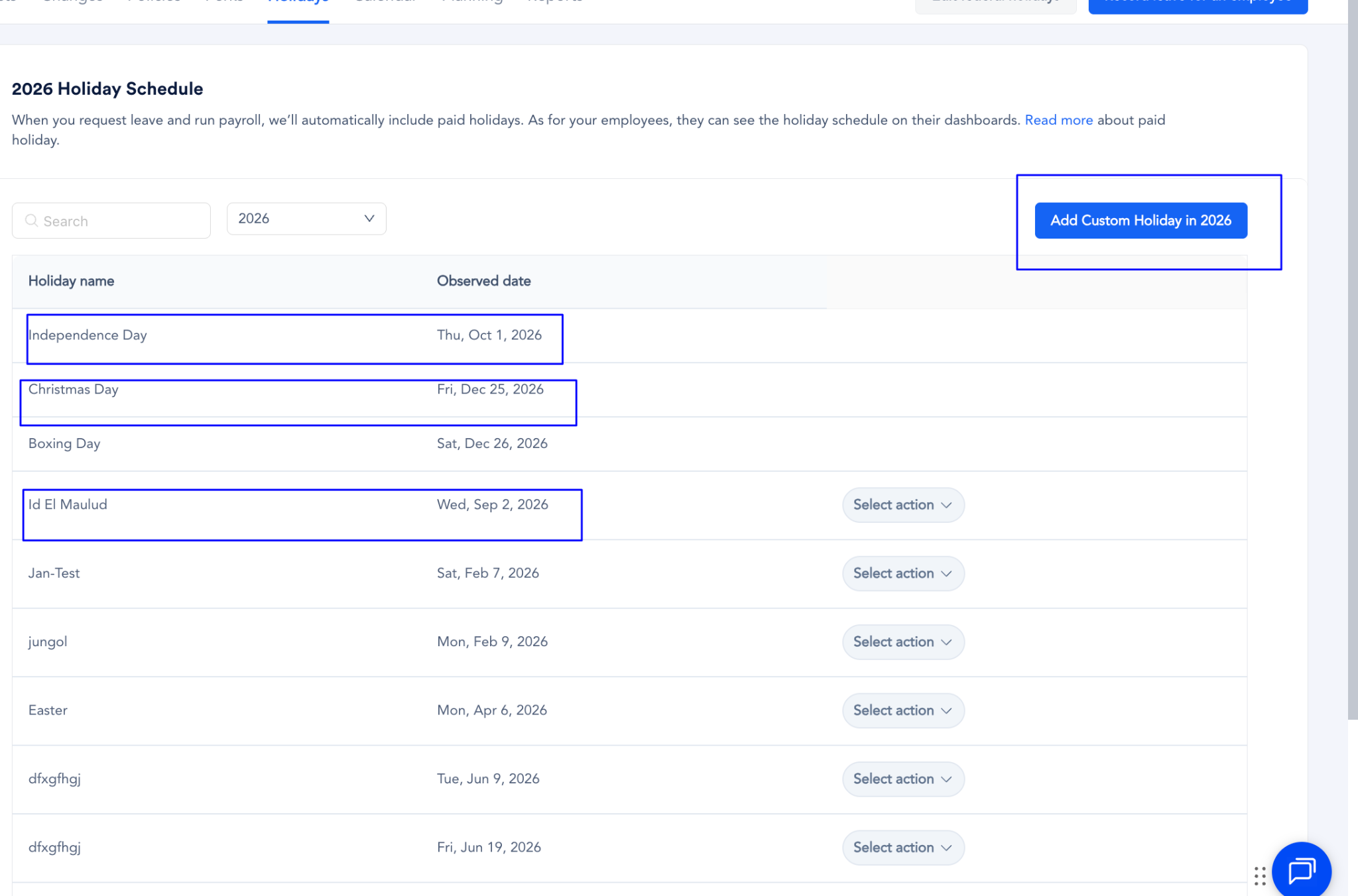
We’ve also tightened up some of the less visible parts of leave management.
- Public Holiday Blocking: Public holidays are blocked in every leave date picker, including when recording leave that has already happened.
- Approval Chain Visibility: Leave requests show their full approval chain, so you can see who needs to act next. Settings will also flag any approval chain referencing an obsolete role, to prevent delays.
- Locked Dates During Revisions: If a planning period is being revised, the original dates remain locked on the roster until the revision is resolved, so they don’t accidentally get released.
What Leave V2 changes for your team
For employees – Plan your year before making leave requests, share your plans with your team and make changes through the right workflow when plans change.
For supervisors – Coordinate your team’s time away from one roster, see capacity clashes before they become staffing problems and understand why a change has been requested.
For HR – Open and manage annual planning cycles, get a clearer view of leave, manage changes without manual workarounds, and build reports with relevant information.
A year people can plan
Leave management shouldn’t stop at knowing who requested time off, the better questions are who plans to be away, whether you can actually cover it, and what happens if those plans change. That’s what Leave V2 is built around.
Get Started. Leave V2 is now live in PaidHR. Log in to your PaidHR app and check it out.