
Give every promotion a clear path from decision to effective date with new title, pay, department or manager.
The decision takes one meeting. Then the admin starts: a letter drafted in Word, approvals chased across email and chat, new pay passed along in a spreadsheet, and a record that ends up in someone's inbox.
The request sits in an inbox while the employee waits to hear if it's real.
The title in the conversation, the figure in the letter and the number on the payslip don't always match.
Six months later, nobody can show who approved what, or when it took effect.
Pick the employee and set what's changing.
Review the current role next to the new one.
Submit, and it goes straight to the first approver.
Manager, then HR, then admin, each with a comment.
They see exactly what's changing, then accept.
Scheduled for its date and saved to history.
Request it, approve it, accept it, and keep it on record. Each stage happens in the same place.
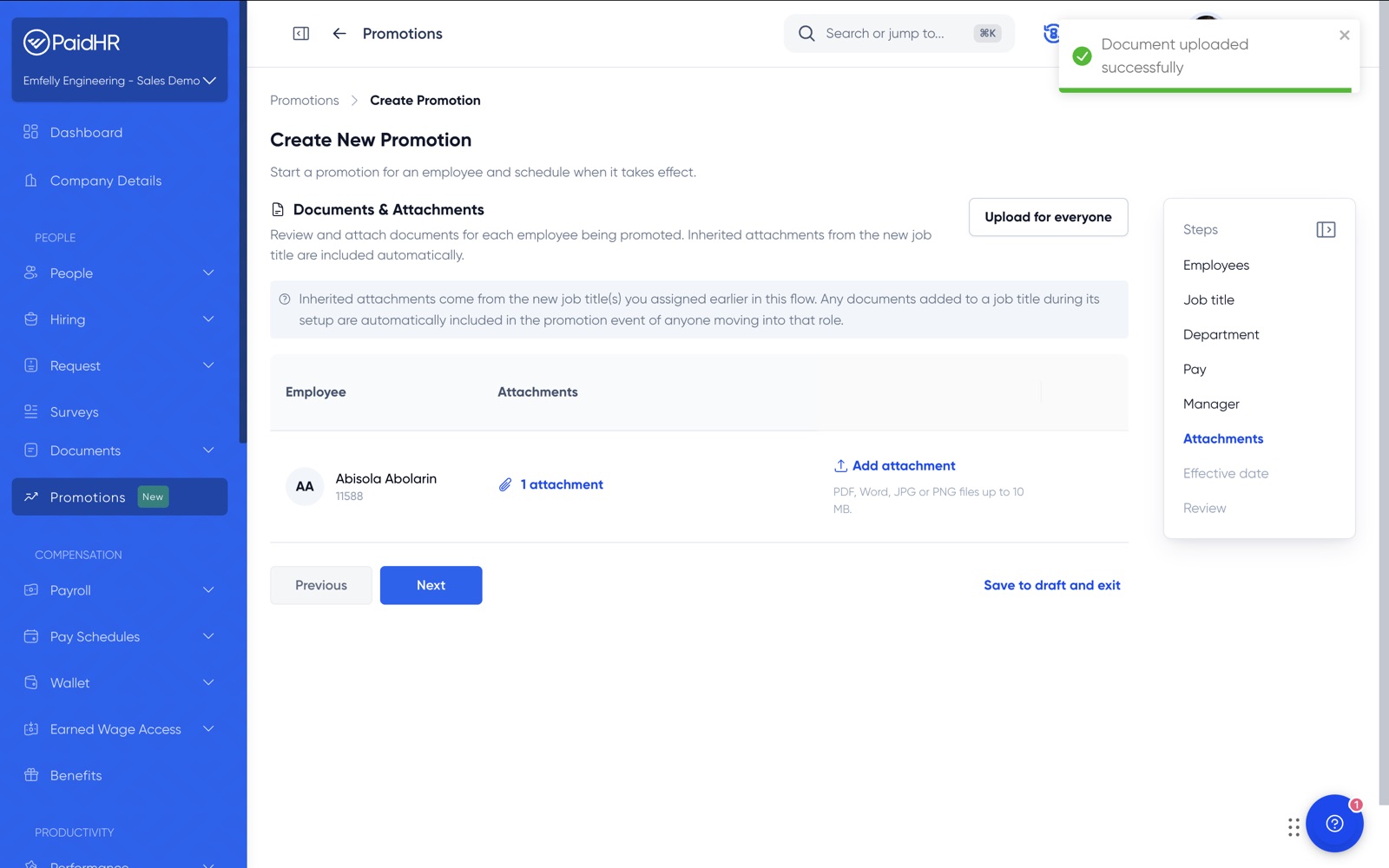
A promotion is rarely just a new title. PaidHR walks you through each part of the change in order, and you only fill in what applies. Anything you don't update stays exactly as it is.
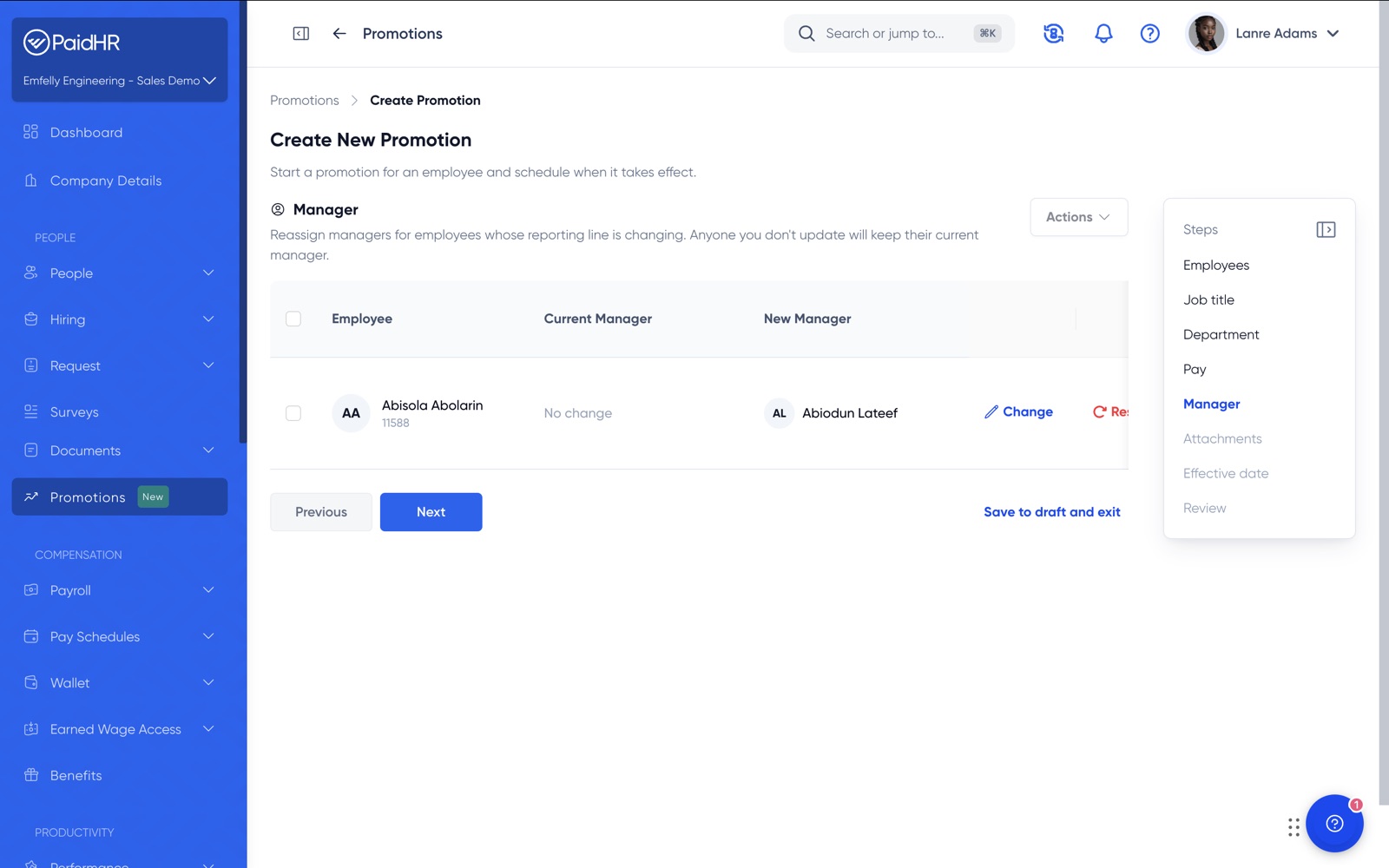
A promotion cycle rarely means one promotion. Promote employees one at a time, or handle the full list in a single batch.
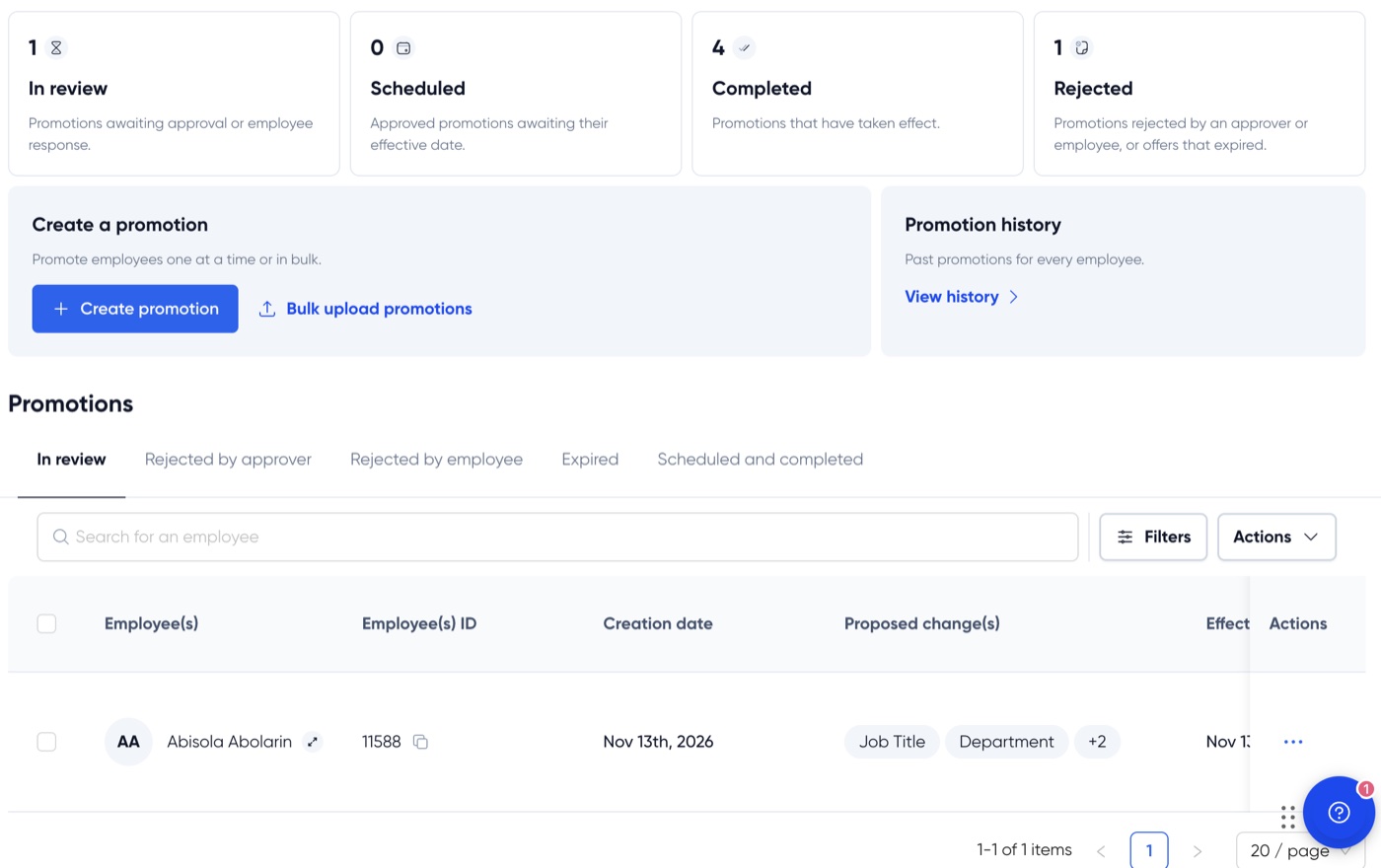
The review screen lines up each employee's current details against the proposed ones, so a wrong figure gets caught before it reaches an approver.
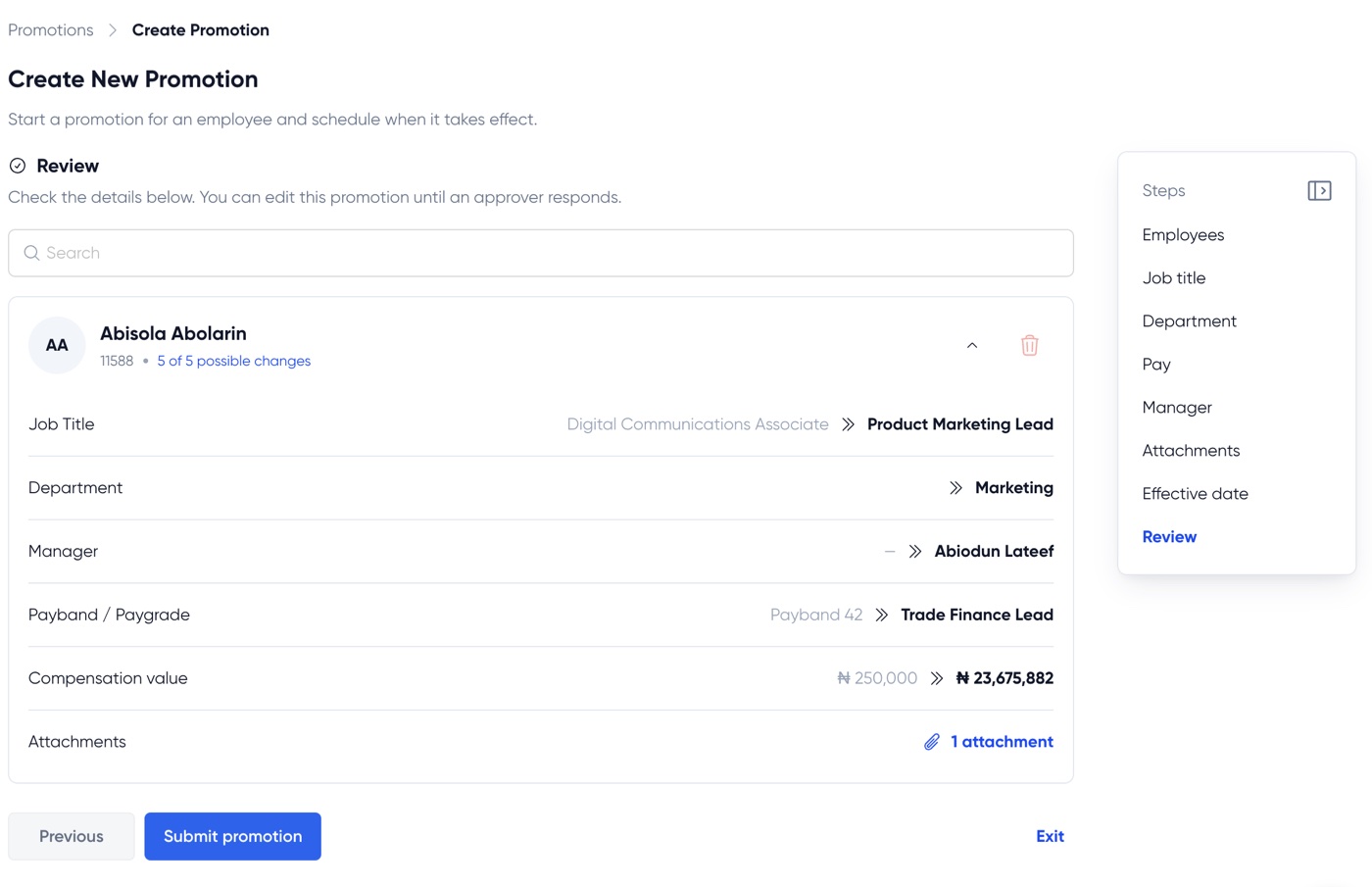
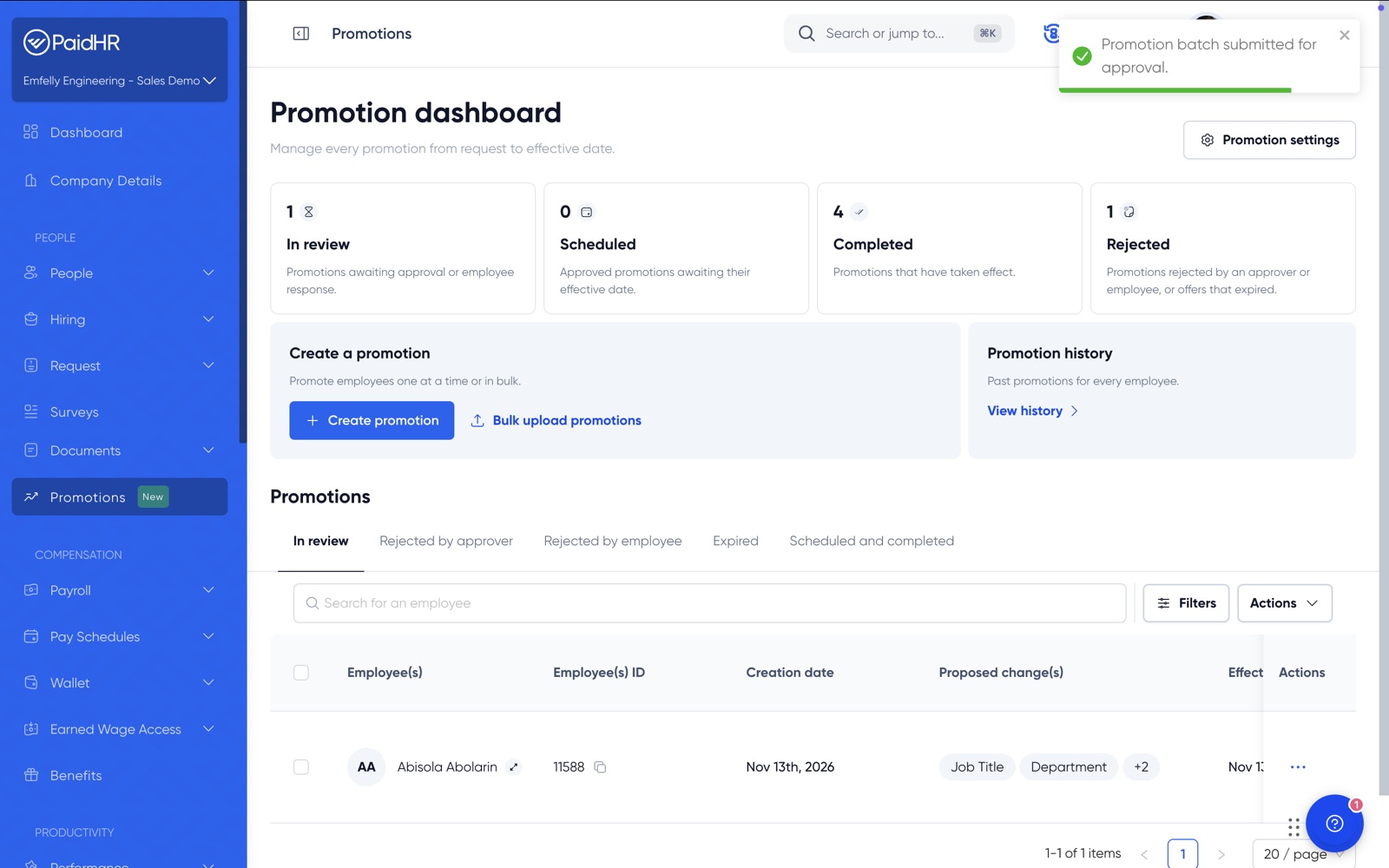
Once you submit, PaidHR moves the promotion from one approver to the next. Nobody has to forward anything, and everyone can see where it stands.
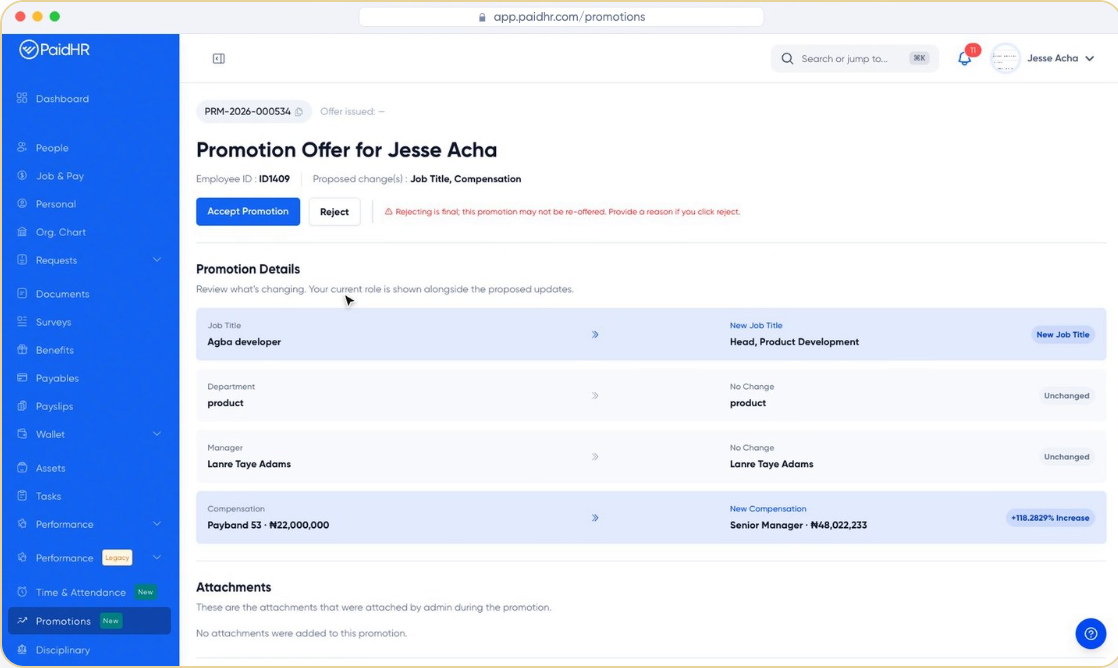
When the last approval lands, the employee receives a promotion offer in their own PaidHR account. Their current role sits beside the new one, with what's changed and what hasn't clearly marked.
Each employee has a promotion history: a dated timeline of role changes and compensation, each with its reference number. Employees see their own.
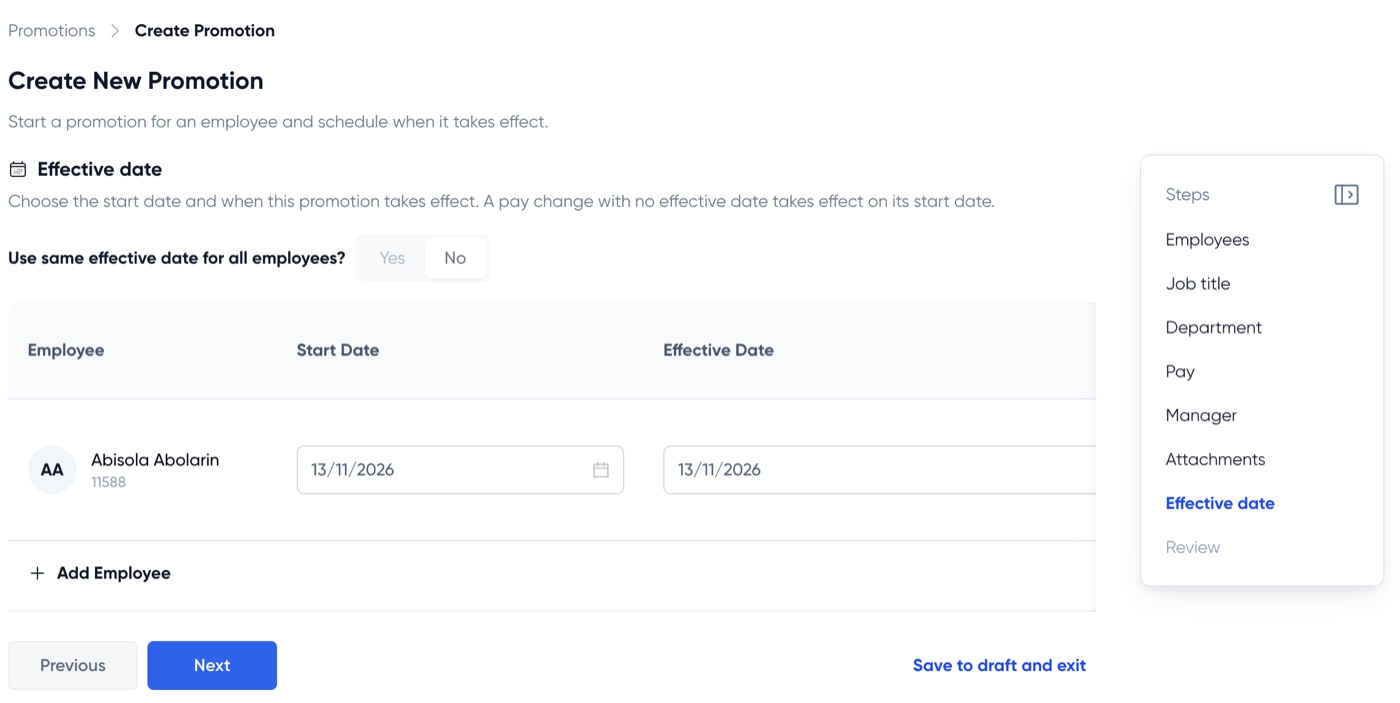
Set the effective date when you create the promotion. Once approved and accepted, it waits as Scheduled and takes effect on that date.
One dashboard shows what's in review, what's scheduled, what's completed and what was turned down, so HR always knows what needs attention.
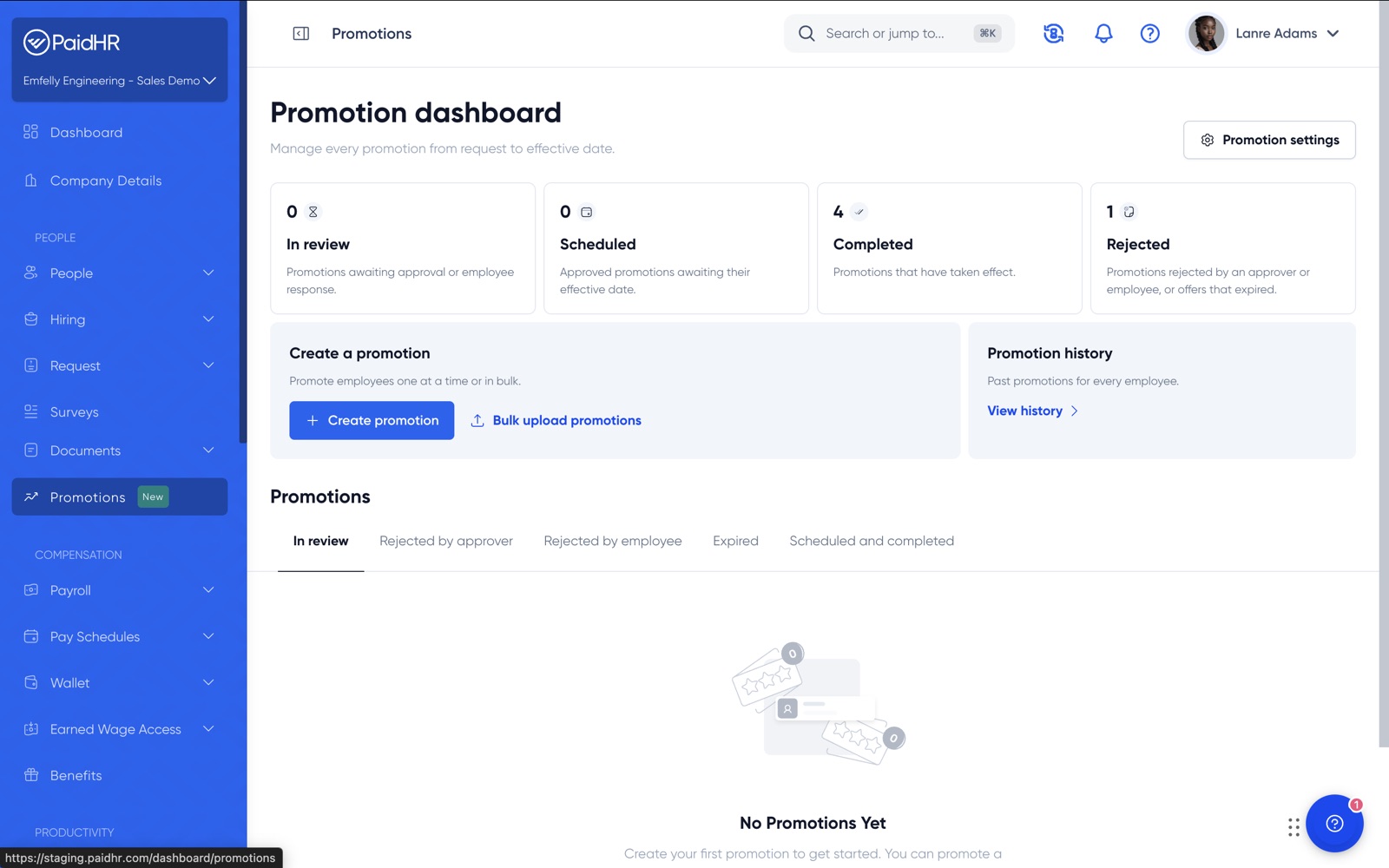
Create promotions singly or in bulk, see where each one stands, and stop chasing sign-offs.
Review the proposed change, add a comment and approve. PaidHR passes it to the next person.
Every promotion has a reference number, an approval path, an effective date and a permanent record.
See the new role beside the current one, accept in one click, and keep a history of every step up.
Job title, department, pay and manager. Change one of them or all four in the same promotion. Whatever you leave untouched stays as it is.
Yes. Select multiple employees in one promotion flow, or bulk upload a list, then submit the batch for approval together.
Each promotion moves through an approval chain, for example manager, then HR, then admin. Every approval passes it to the next approver automatically.
Yes, until an approver responds.
A promotion offer in their PaidHR account. It shows their current role beside the proposed one, including new title, new compensation and any attached documents.
They give a reason, and the promotion is marked as rejected by employee on your dashboard. A declined offer is final and can't be re-sent, so a new promotion would need to be created.
On the effective date you set. Until then it shows as Scheduled. Once the date arrives it moves to Completed.
In the employee's promotion history, a dated timeline of every role and compensation change with its reference number. HR can view it for any employee, and employees can view their own.
Promotions is live in PaidHR now. If you're already a customer, open it from the sidebar. If you're new to PaidHR, book a demo and we'll walk you through it.
Recognise your people with confidence, and keep every step on the record.
We use cookies to help you navigate efficiently and perform certain functions. You will find detailed information about all cookies under each consent category below.
The cookies that are categorised as "Necessary" are stored on your browser as they are essential for enabling the basic functionalities of the site.
We also use third-party cookies that help us analyse how you use this website, store your preferences, and provide content relevant to you. These cookies will only be stored in your browser with your prior consent.
You can choose to enable or disable some or all of these cookies, but disabling some of them may affect your browsing experience.
For more information on how cookies are managed, see our Cookie Policy .